
Any way to compress game files on linux?
Linux has over 6% of the desktop market? Yes, you read that right - here's how
According to Pornhub data (yes seriously!) Linux market share in 2024 increased more than 40% relative to 5.1% of all users.
Crystal Dock COSMIC desktop environment support
Distro for 2012 MacBook Pro Retina (15 inch)


Finally rootless


English Internet, telecoms, and tech lawyer, running a law firm (https://decoded.legal) on Free software. Linux / FOSS, legal stuff, Airsoft, and puns. Terrible puns. He/him. Cishet, lucky husband. 💚 means I am empathising / supportive. #NoBot / #NoSearch / #NoIndex / #NoNoNoNoNoNoNoNoTheresNoLimit

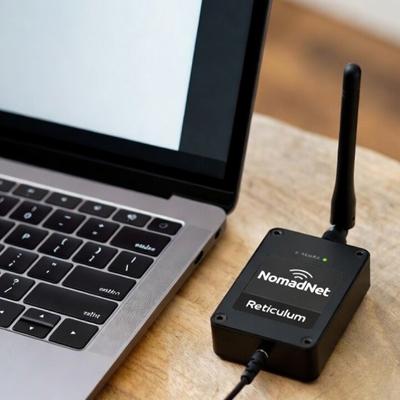
#Philosophy #Buddhism #Meditation #Consciousness #Nonduality #Solarpunk #Decentralized #MeshNetworking #Reticulum #NomadNet #DeepEcology #BiocentricEgalitarianism #AdjustmentBureau #HumanRights LXMF Message Address: 206a1f9c9e5d3dcfc65edd316590e567 🙏 May all beings be happy and free of suffering.
A Noob Friendly Guide for installing Photoshop 2021 on BazziteOS using Lutris
To be completely frank, i created this guide for myself using an LLM, by using this guide that i found on reddit as a starting point. It was completely indecipherable to a new bazziteOS user like myself, but the guide worked! I am posting it here hoping it will be just as helpful for someone else :D
- Install the basic tools
You need three main things: Lutris, ProtonUp-Qt, and some Proton-GE builds.
1.1 Enable Flatpak (usually already enabled on Bazzite)
Open a terminal and run:
flatpak remotes
If you see flathub in the list, you’re good. If not:
sudo flatpak remote-add –if-not-exists flathub https://flathub.org/repo/flathub.flatpakrepo
1.2 Install Lutris and ProtonUp-Qt
flatpak install flathub net.lutris.Lutris flatpak install flathub net.davidotek.pupgui2
- Install GE-Proton and a vanilla Wine via ProtonUp-Qt
Open ProtonUp-Qt (look for “ProtonUp-Qt” in your app menu). At the top, there’s a “Target” selector:
Set it to “Lutris”.
Click “Add version”:
For GE-Proton:
Type: GE-Proton Pick a recent version (e.g. GE-Proton9-XX or similar).
For Wine (vanilla):
Type: Wine-GE or Lutris-Wine or similar “vanilla-ish” Wine build.
(You just need a normal 64‑bit Wine version, not Proton, to create the prefix.)
When done, ProtonUp-Qt will have installed:
One vanilla Wine build for prefix creation. One GE-Proton build for running Photoshop.
- Get the patched Wine from the guide (OP’s tar.gz)
From the guide you quoted, there’s a patched Wine tar.gz file. Do this:
Download that wine-…tar.gz file into your Downloads folder. Right-click → Extract Here (or use your file manager’s extract option). You should end up with a folder that contains something like bin/wine inside.
Note the full path to that folder (for example:
/home/yourname/Downloads/wine-op-patched/).
We’ll point Lutris to that later.
- Prepare a folder for the Photoshop prefix
This is where your “fake Windows C: drive” will live.
Create a folder, for example:
mkdir -p ~/Games/photoshop2021-prefix
Remember this path: ~/Games/photoshop2021-prefix.
- Create a new Lutris entry for Photoshop
Open Lutris. Click the “+” button → “Add locally installed game”. In the Game info tab:
Name: Adobe Photoshop 2021 Runner: choose Wine.
Click Save once to create it, then right-click the new entry → Configure.
- Step 1 in the guide: create a 64‑bit prefix with vanilla Wine
In the Configure window for Photoshop:
6.1 Runner options
Go to the “Runner options” tab:
Wine version:
Choose the vanilla Wine you installed via ProtonUp-Qt (it will appear in the list, often with a name like wine-ge-… or lutris-fshack-…—pick the one that is not GE-Proton if you installed both). Enable DXVK/VKD3D/etc: leave defaults for now.
6.2 Game options
Go to the “Game options” tab:
Executable:
Point this to your Photoshop 2021 installer (e.g. /home/yourname/Downloads/Photoshop2021/setup.exe). Wine prefix:
Set this to the folder you created:
~/Games/photoshop2021-prefix
6.3 Make sure the prefix is 64‑bit
Lutris usually creates 64‑bit prefixes by default, but to be explicit:
Go to the “System options” tab. In Environment variables, add:
Key: WINEARCH Value: win64
Click Save.
6.4 Initialize the prefix
Now, with vanilla Wine selected:
In Lutris, right-click Adobe Photoshop 2021 → Wine console (or Run EXE inside wine prefix if available). If there’s an option like “Run EXE inside wine prefix”, choose something harmless (or just run the game once).
The goal: let Wine create the prefix at ~/Games/photoshop2021-prefix.
If it asks to install Mono or Gecko, accept.
Once that’s done, the 64‑bit prefix is initialized.
- Step 2: switch to OP’s patched Wine for the actual install
Now we follow the “Wine for creating prefix → patched Wine for install” part.
Right-click Adobe Photoshop 2021 in Lutris → Configure.
Go to “Runner options”.
For Wine version, choose “Custom” (or similar wording).
There should be a field like “Custom Wine executable” or “Use system/custom Wine”:
Point it to the wine binary inside the patched tar.gz folder, e.g.:
/home/yourname/Downloads/wine-op-patched/bin/wine
Make sure Wine prefix in Game options is still:
~/Games/photoshop2021-prefix.
Make sure Executable is still your Photoshop installer.
Click Save.
Now run the game entry in Lutris (double-click it).
This should launch the Photoshop 2021 installer using the patched Wine.
Go through the installer like on Windows. Install into the default path (usually C:\Program Files\Adobe\Adobe Photoshop 2021).
When the installer finishes, close it.
- Step 3: switch to GE-Proton to run Photoshop
Now we follow the last part: “GE-Proton for running the app”.
Right-click Adobe Photoshop 2021 → Configure.
Game options:
Change Executable from the installer to the actual Photoshop EXE inside the prefix, something like:
/home/yourname/Games/photoshop2021-prefix/drive_c/Program Files/Adobe/Adobe Photoshop 2021/Photoshop.exe
Runner options:
Wine version: choose the GE-Proton build you installed via ProtonUp-Qt (e.g. GE-Proton9-XX).
Keep Wine prefix as ~/Games/photoshop2021-prefix.
Click Save.
Now double-click Adobe Photoshop 2021 in Lutris.
If everything went right, Photoshop should start.
- Quality-of-life tweaks (optional but helpful)
Fonts & UI issues:
If text looks weird, you can install corefonts and other components via Winetricks (Lutris → right-click game → Winetricks). Performance:
In Runner options, you can enable DXVK, Esync, Fsync if they aren’t already.
- If something breaks
Because you’re new to Linux, a few tips if it doesn’t work:
If the prefix gets messed up, you can:
Close Lutris. Delete ~/Games/photoshop2021-prefix. Recreate it and repeat from Step 6.
When asking for help online, mention:
Distro: BazziteOS (Fedora-based) Runner: Lutris Wine version: which vanilla Wine, which patched Wine, which GE-Proton version Any error messages from Lutris logs.

Thanks Programmers and Engineers

Which specs are as low as reasonable possible for local LLM models? Do you recommend some distro in particular?
